Templates
Save a product's structure, reuse it for the next bet — with all live data stripped.
Shipping your second (or fifth) SaaS? Save as template from any product's Settings captures its whole setup: playbook answers, opportunity scorecard, experiment designs, risk register, connections, and Build Workspace scaffolding. Add Product then starts the next bet from that structure.
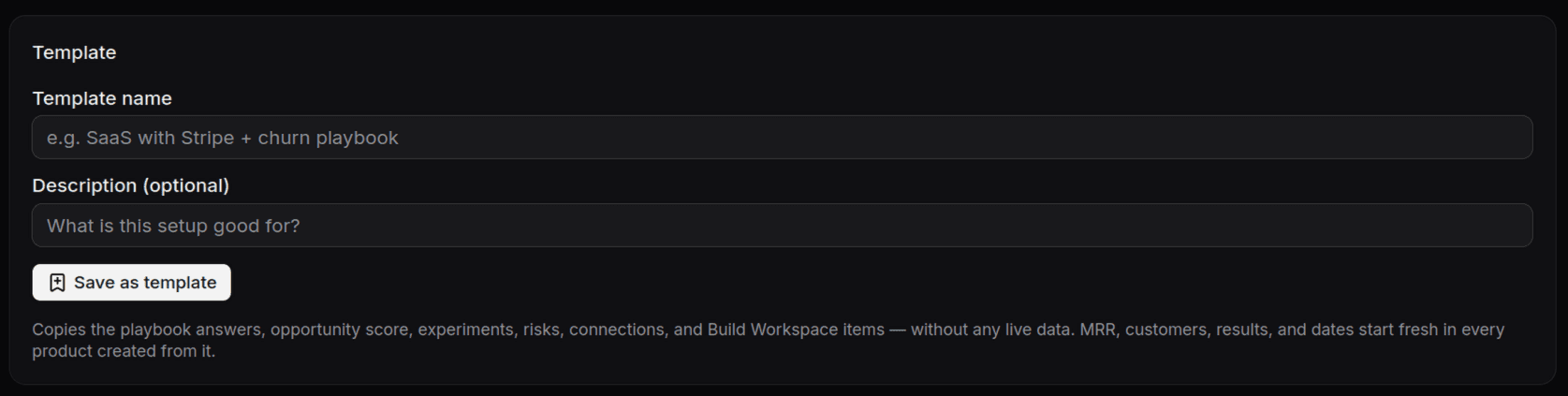 The Save as template card in a product's Settings — it copies the setup,
never the live data.
The Save as template card in a product's Settings — it copies the setup,
never the live data.
What a template carries — and what it never carries
- Carries: structure. The playbook's answers as starting points, the scorecard's notes, the shapes of your experiments, the connection registry (GitHub here, Stripe there, Sentry for errors).
- Never carries: live data. MRR, customers, experiment results, dates — everything measured starts at zero. Connection records copy over, but credentials and feed secrets never do. Templates are Zod-validated on save and on use, so a broken template can't corrupt a new workspace.
The two starting points
On Add Product you can start from scratch — tick the standard building blocks you use and the wizard scaffolds connections, starter resources, and a stage-appropriate checklist — or start from one of your templates and carry over as much or as little as you want.
 A saved template, listed in Settings: 67 playbook answers, 4 experiments,
3 risks, 6 connections, 18 build items — structure, ready to seed the next
bet. Live data starts at zero in every product created from it.
A saved template, listed in Settings: 67 playbook answers, 4 experiments,
3 risks, 6 connections, 18 build items — structure, ready to seed the next
bet. Live data starts at zero in every product created from it.
The playbook in a new product is deliberately blank in its strategic sections: strategy is earned, not pre-filled. Templates give you the scaffolding; the evidence is still yours to collect.