Product overview
The command view of a single product — stage, gate, economics, and next actions.
Each product workspace opens on the Overview: everything the deterministic engine knows about this product, on one screen — starting with the status strip, the three lenses that answer "where am I?" before you read anything.
The status strip — three lenses, one glance
The strip at the top of every Overview shows the three things people confuse, side by side and self-explaining (hover any of them for the definition — no info icons):
- Stage — a lifecycle stepper: Idea → Research → Validate → Build → Launch → MRR → Scale. The current step is highlighted in its stage color; completed steps are dimmed, future steps are grayed out. You cannot walk this path out of order — each transition is a gate.
- Dev status — the engineering reality of the code (Idea, Prototyping, Building, Launched, Maintaining, Paused, Archived). Deliberately independent of the stage: building never implies validated. Set it right in the strip.
- Last decision — the verdict from your most recent portfolio review, with its age. A decision is a snapshot, not a state — the age suffix keeps stale verdicts honest.
📷 Placeholder — see SHOT-LIST #25: the status strip close-up (lifecycle stepper with the current stage highlighted, Dev status dropdown, decision badge with age).
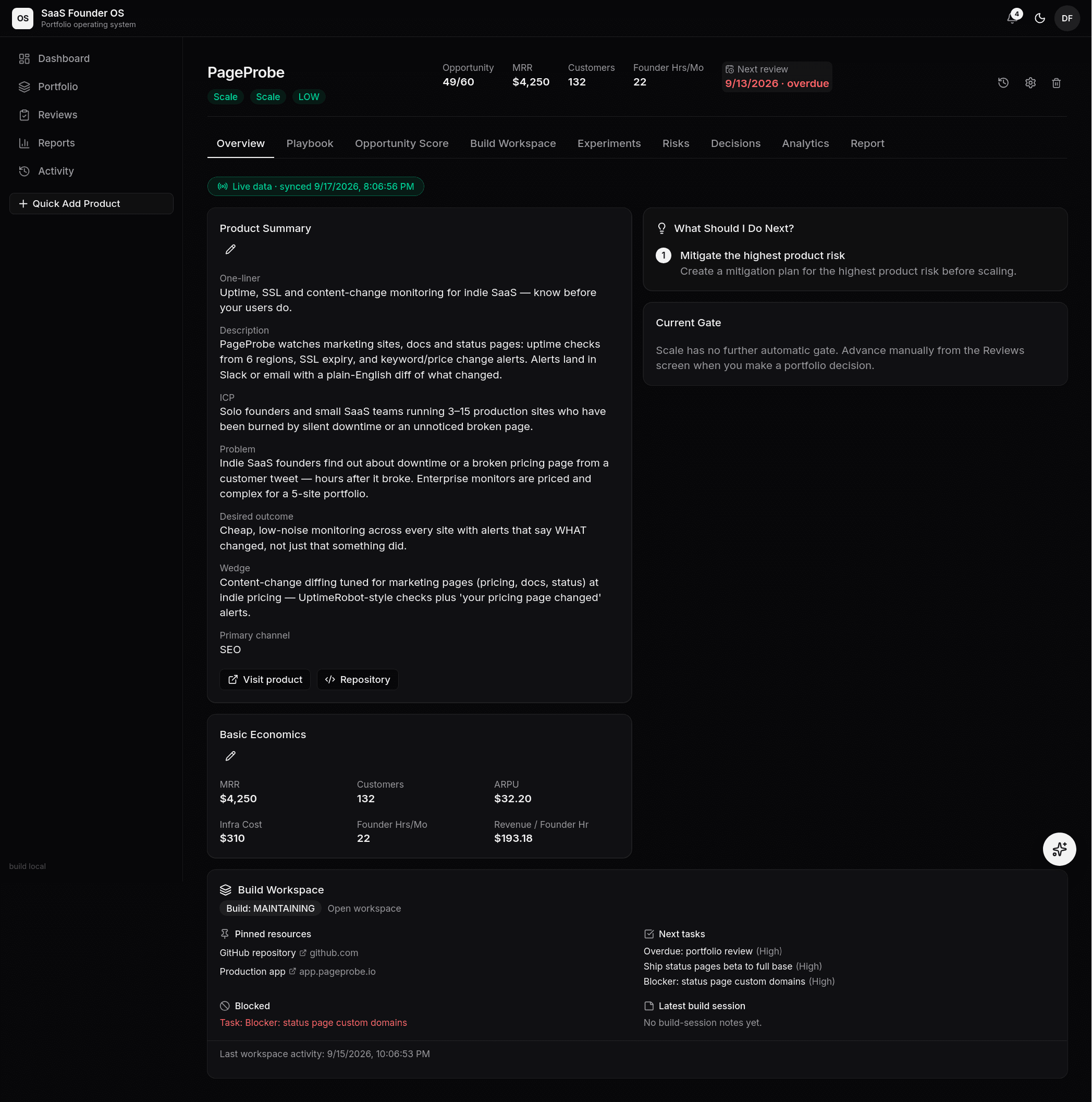 The Overview: header metrics, the current gate, basic economics, and the
build workspace snapshot — one screen, one product.
The Overview: header metrics, the current gate, basic economics, and the
build workspace snapshot — one screen, one product.
Stage and gate
The header shows the product's stage and the next gate — the evidence checklist between here and the next stage (how gates work). Each requirement shows satisfied or missing, so advancement is never a judgment call made in the dark: either the evidence exists or it doesn't. The header also carries the next review date; once it passes, it turns red and the same signal feeds the dashboard's Needs Attention list and the weekly rhythm:
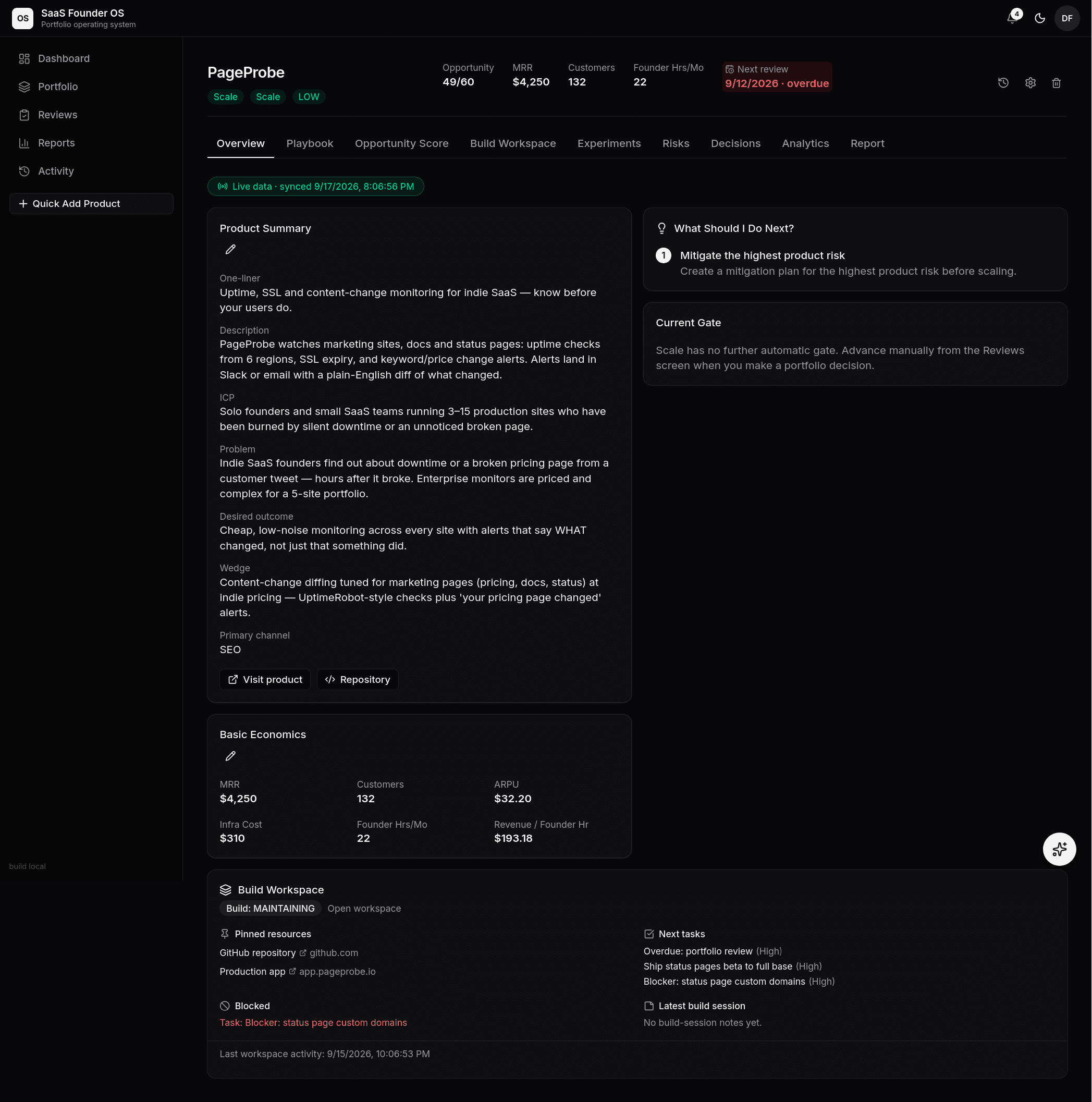 An overdue review date turns red in the header — and the engine's first
"what should I do next?" becomes dealing with it.
An overdue review date turns red in the header — and the engine's first
"what should I do next?" becomes dealing with it.
Economics
MRR, customer count, infrastructure cost, founder hours, support burden, and risk level — the raw material of every portfolio decision. With a Live Data Feed connected, the money numbers update themselves; without one, you maintain them by hand and the views say so.
Next actions
The engine's output: 1–5 prioritized next actions, computed from the current stage, gate requirements, playbook completion, and review state. This list is the product's "what should I do next?" — the recommendation engine is deterministic (same inputs, same advice), so you can trust it or argue with it, but not ignore it silently.
Scoring context
The header's KPI bar carries the Opportunity Score (X of 60) so the ranking number is always in view without scrolling; the full scorecard — criteria, scores, and the recommendation it carries — lives on the Opportunity Score tab. The highest unmitigated risk surfaces through the next-action list and the risk register, so the question Overview answers is never just "is this working?" but "is this still worth working on?".