Activity, decisions & analytics
Decision history, the audit trail, and per-product live metrics.
Three tabs answer "what has happened here?", from three different angles.
Decisions
The decision timeline — the append-only history of every consequential call: stage changes, gate overrides (with the missing evidence recorded), and portfolio decisions (Build, Validate More, Scale, Maintain, Sell, Park, Kill) with their rationales. This tab is why the app can be honest: decisions are dated, attributed, and impossible to quietly rewrite. Reading a product's decision timeline before working on it is the fastest way to remember why it is where it is.
Activity
The audit trail — every mutation (created, updated, deleted, restored) across the product, with actor and timestamp. Where decisions are the story, activity is the raw log; it's what you check when something "changed by itself" (it didn't) or when a teammate on a Team plan asks who touched the pricing. Filtering and pagination are URL-driven (25 / 50 / 100 rows per page), and rows older than the retention window are pruned automatically.
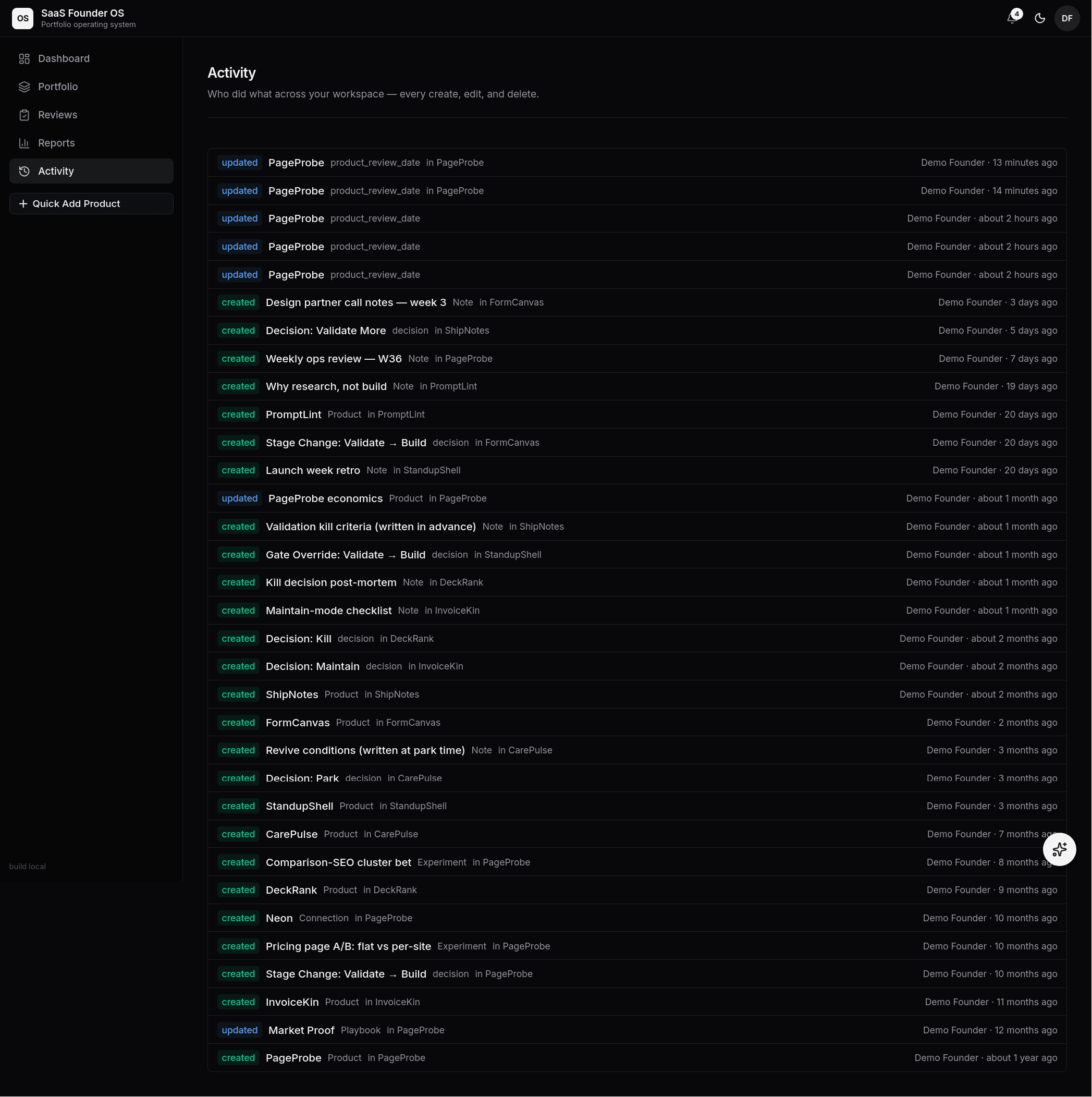 The workspace Activity feed — every create, update, and delete across
the portfolio, attributed and timestamped: stage changes, gate overrides,
decisions, notes, even connection records.
The workspace Activity feed — every create, update, and delete across
the portfolio, attributed and timestamped: stage changes, gate overrides,
decisions, notes, even connection records.
Filtering (action, entity type, label search) and pagination both live in the URL, so filtered views are shareable and the browser back button behaves. The list pages 25 / 50 / 100 rows at a time with a "Showing X–Y of Z" footer; the admin Events page paginates the same way across all workspaces. The trail self-prunes past the retention window, so "of Z" is always the live row count.
Analytics
The live metrics view for the product: MRR and customer charts drawn from the daily snapshots Live Data Feeds record at ingest time, churn counts, feed health, and the last ingest events (accepted or rejected, with reasons — a glance shows the latest 10; the feed's event log under Settings → Integrations is paginated and searchable across everything on file). If a number in the overview looks wrong, this is where you audit the feed that produced it.