Portfolio
The grid and the stage board — managing every product you've ever started.
The Portfolio page is the honest shelf. Every product you've added lives here — shipped, half-built, or abandoned — because the portfolio view only works when it's complete.
Two views, one truth
- The grid — a sortable, filterable table: Stage (lifecycle position), Dev status (engineering reality), Last decision (your verdict from the most recent review, with its age), opportunity score, MRR, customers, risk, and next review date. Hover a column header for what it means. Columns are configurable (toggle, reorder, saved in your browser), so you can put MRR first if that's your lens. Search and filters narrow it fast.
- The stage board — the same products grouped by lifecycle stage, Kanban style. Useful for the question the table can't answer: where is my effort piling up?
📷 Placeholder — see SHOT-LIST #3: re-shoot the grid to capture the renamed columns and decision ages.
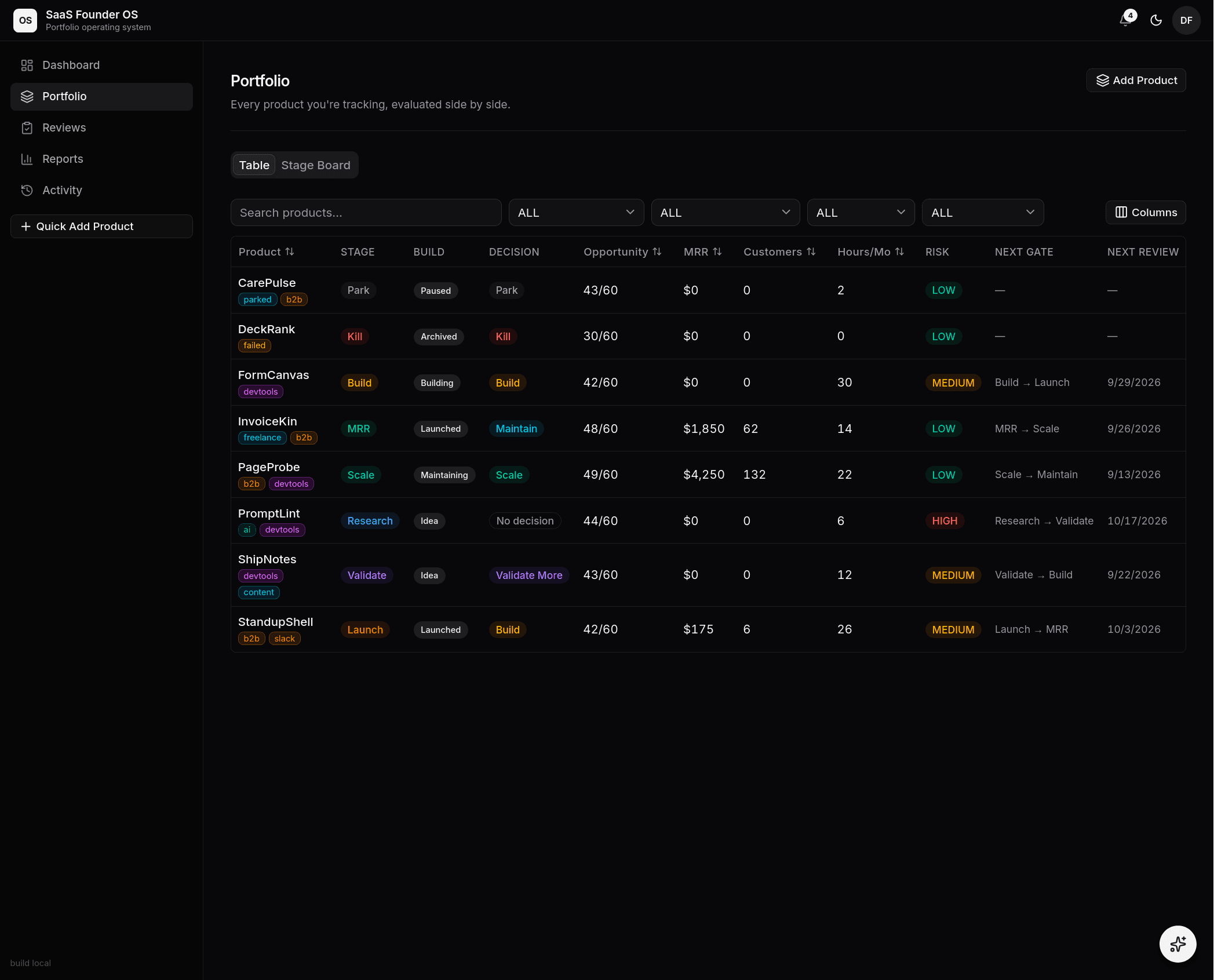 The grid — every product evaluated side by side. Columns, filters, and tags
are all in play.
The grid — every product evaluated side by side. Columns, filters, and tags
are all in play.
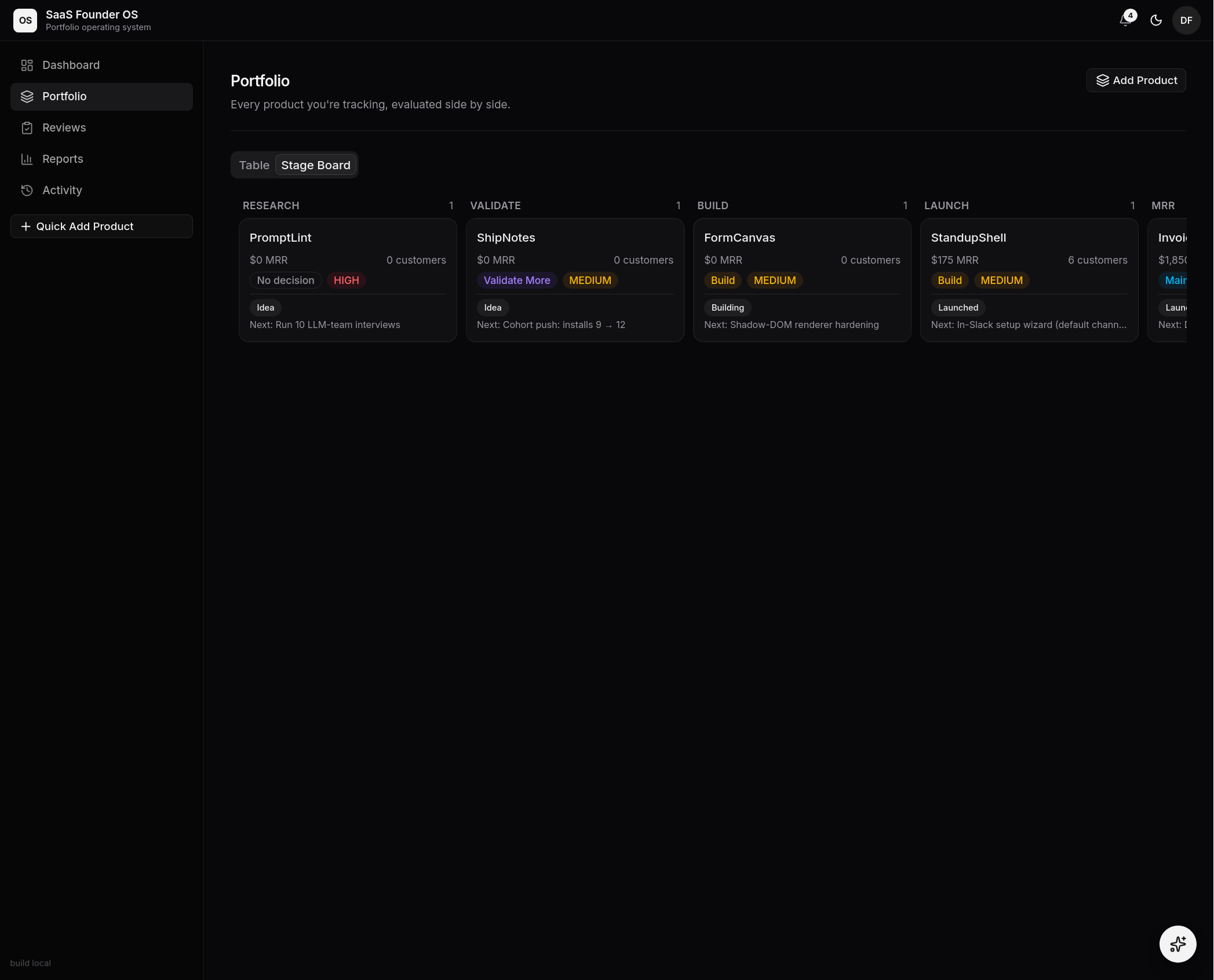 The stage board — the same truth, grouped by lifecycle stage. Where is
effort piling up?
The stage board — the same truth, grouped by lifecycle stage. Where is
effort piling up?
Tags and organization
Free-form tags (b2b, ai, weekend-project) are edited from each
product's Settings and render as filterable color-stable chips in the grid.
Add Product and templates
Add Product is deliberately fast: name, one-liner, stage — done, refine later. The wizard also offers a start from scratch option that scaffolds standard building blocks (GitHub, Stripe, Sentry, Vercel, and more) into the Build Workspace, and Templates carry a proven product setup into the next bet.
The demo
New accounts include ChurnPilot (Demo) — a completely worked example, badged DEMO, excluded from totals and reviews, removable at any time from its Settings.