Team & billing
Plans, workspaces, and who can touch what.
Plans
14-day free trial of Pro (no credit card), then Pro or Team — compared in full on Plans & Pricing. The short version: Pro removes all limits, unlocks Live Data Feeds, financial reports, and the AI assistant; Team adds shared team workspaces. When a trial ends or a subscription lapses, the workspace becomes a read-only archive — nothing deleted, kept for 90 days with reminder emails, restored instantly on reactivation. Billing runs through Clerk Billing (Stripe) — manage or cancel from the billing portal at any time.
Workspaces and roles
A workspace holds your portfolio. It's personal by default. On the Team plan, a workspace is backed by a Clerk organization: invite teammates, assign roles, and remove members from the Team page. Everything in the workspace — products, feeds, decisions, the audit trail — is shared with its members; the activity log attributes every change to the person who made it.
AI credits are org-wide. The Team plan's 300 monthly credits belong to the workspace, not to individual members — every member draws (and sees) the same live balance, in the assistant footer and on the launcher badges. One member's research draft (10 credits) is visible to everyone instantly. Running low as a team? The Credit Pack tops up the shared pool.
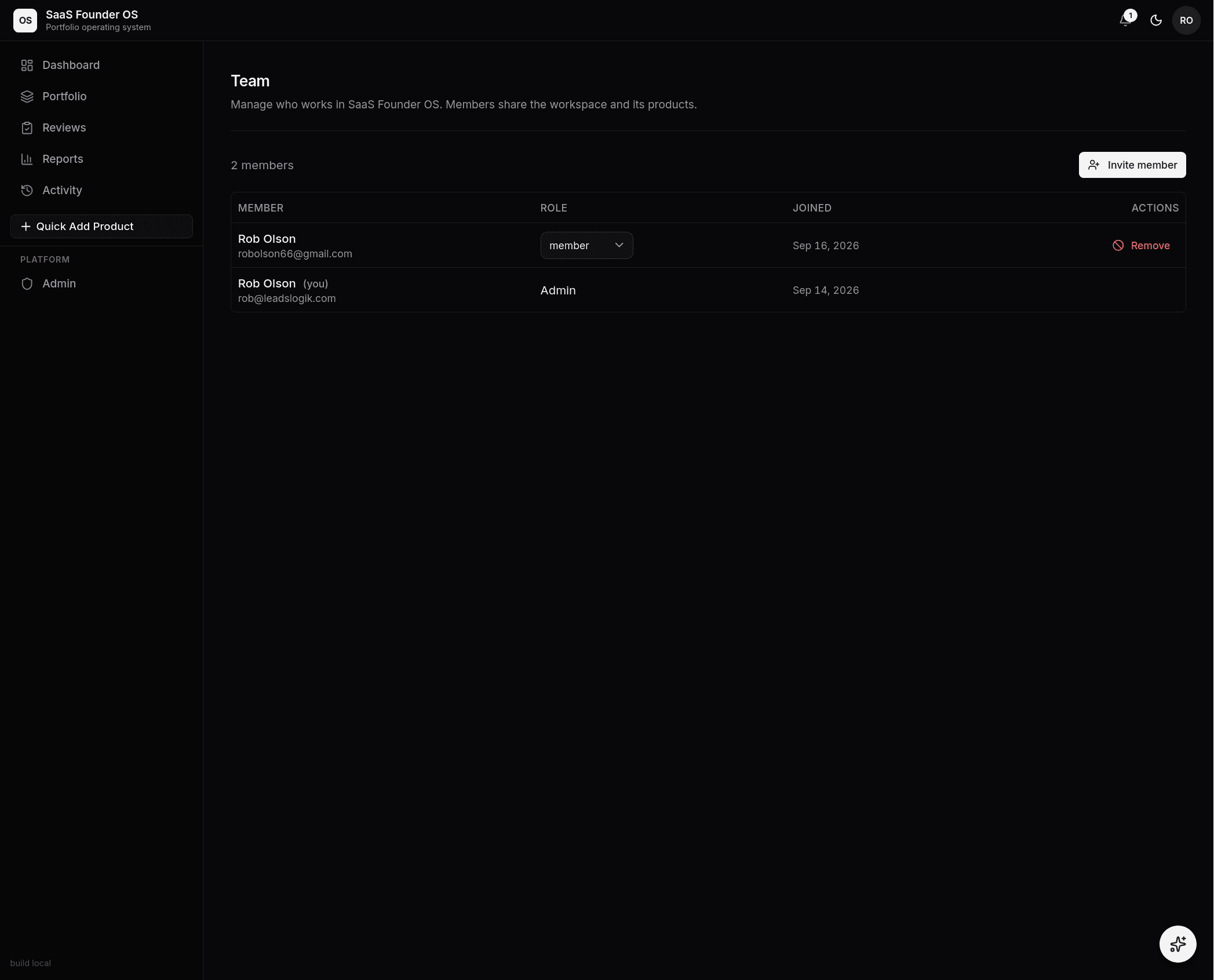 The Team page on the Team plan: members share the workspace and its
products, roles are assigned per member, and removal is one click.
The Team page on the Team plan: members share the workspace and its
products, roles are assigned per member, and removal is one click.
Settings
Product settings live on each product's Settings page, in four sections: Identity (name, URLs, description, founder-hour rate, product type, and tags), Integrations (the Live Data Feeds setup, sample payloads, and the ingest event log), Template (save as template), and Danger zone (remove the demo, or delete the product). The next review date is edited right on the Overview header. Workspace settings live behind the avatar menu: report branding, JSON export/import for backups, and the template manager.
📷 Placeholder — see SHOT-LIST #30: the sectioned Settings page — Identity / Integrations / Template / Danger zone with the inner sidebar.